
Configuring the input component
You retrieved the tJapaneseTokenize_standard_scenario.zip
file.
-
Double-click tFileInputDelimited to open its
Basic settings view in the
Component tab.
-
In the File name/Stream field, enter the path to the
file containing the input text to be tokenized. -
Define the characters to be used as Row Separator and
Field Separator. -
Define the numbers of rows in the Header and the
Footer. -
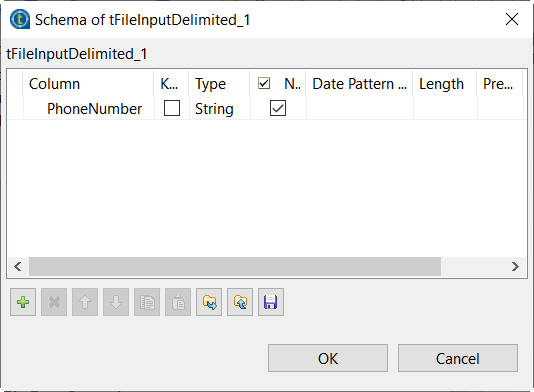
Click the Edit schema button to define the columns of
the source dataset and their data type. -
Click the [+] button to add the schema columns.
-
Click OK to validate these changes and accept the
propagation when prompted. -
In the Advanced settings tab of the
tFileInputDelimited component, select the right
encoding from the Encoding list.The inputJapaneseText.txt file uses the UTF-8
encoding.
Parent topic: Tokenizing Japanese text
Document get from Talend https://help.talend.com
Thank you for watching.


 Users Today : 8
 Users Yesterday : 12
 This Month : 465
 This Year : 2627
 Total Users : 19881
 Views Today : 91
 Total views : 55157
 Who's Online : 1