
Configuring the input component
-
Double-click tFileInputDelimited to open its Basic
settings view in the Component tab.
-
In the File name/Stream
field, set the path to the file that contains the encrypted masked phone
numbers.In this example, set the path to the masked_phonenumbers.csv file. - Select the CSV options check box.
-
Click the […] button
next to Edit schema and use the
[+] button in the dialog box to add a
column of String type.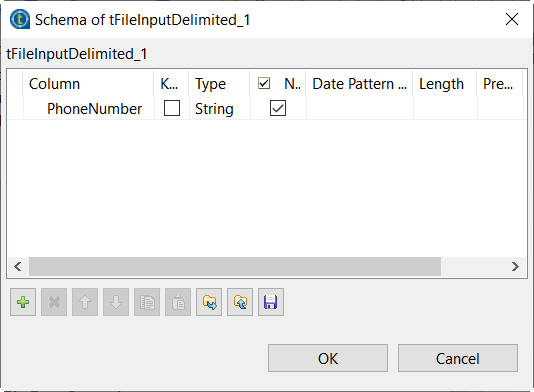
-
Click OK in the dialog
box and accept to propagate the changes when prompted. -
In the Header field,
enter 1.
Parent topic: Unmasking Australian phone numbers
Document get from Talend https://help.talend.com
Thank you for watching.


 Users Today : 35
 Users Yesterday : 29
 This Month : 380
 This Year : 3731
 Total Users : 20985
 Views Today : 213
 Total views : 57538
 Who's Online : 1