
Configuring the input component
-
Double-click tFixedFlowInput to open its
Basic settings view in the
Component tab.
-
Click the […] button next to Edit
schema and use the [+] button in the
dialog box to add a column of String type.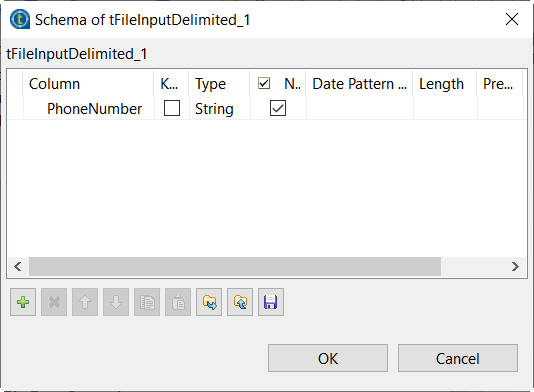
-
Click OK in the dialog box and accept to propagate the
changes when prompted. -
In the Number of rows field, enter
1. -
In the Mode area, select the Use Inline
Content(delimited file) option. -
In the Content table, enter the data you want to mask,
for example:12302 5550 832808 5550 301805 5550 5556
Parent topic: Masking Australian phone numbers
Document get from Talend https://help.talend.com
Thank you for watching.


 Users Today : 11
 Users Yesterday : 19
 This Month : 498
 This Year : 2660
 Total Users : 19914
 Views Today : 342
 Total views : 56050
 Who's Online : 1