
Configuring the input component
-
Double-click the tFileInputDelimited component to open its basic settings.

-
In the File name/Stream
field, set the path to the file that contains the data to be decrypted. -
Click the […] button next to
Edit schema and use the [+] button in the dialog box to add
columns.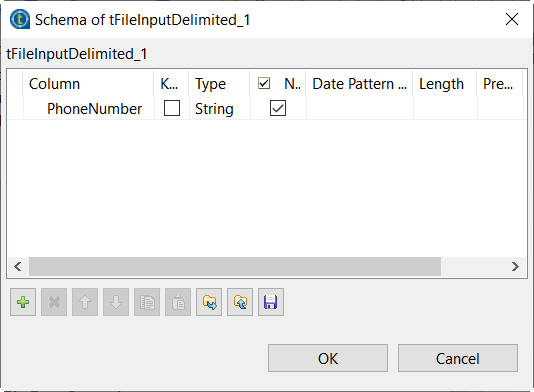
In this example, four columns with the string type are
added.
Parent topic: Encrypting and decrypting back sensitive data
Document get from Talend https://help.talend.com
Thank you for watching.


 Users Today : 3
 Users Yesterday : 4
 This Month : 166
 This Year : 4556
 Total Users : 21810
 Views Today : 2408
 Total views : 72388
 Who's Online : 1