
Configuring the input component
-
Double-click tFixedFlowInput to open its
Basic settings view in the
Component tab.
-
Click the […] button next to Edit
schema and use the [+] button in the
dialog box to add a column of String type.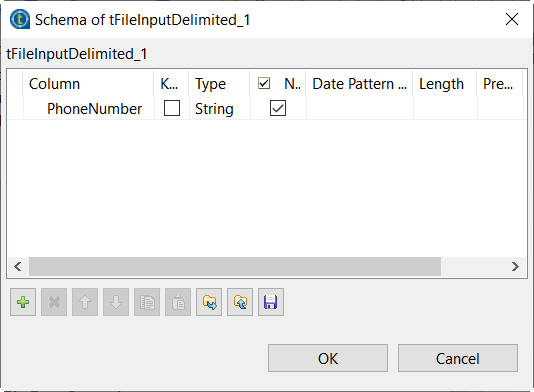
-
Click OK in the dialog box and accept to propagate the
changes when prompted. -
In the Number of rows field, enter
1. -
In the Mode area, select the Use Inline
Content(delimited file) option. -
In the Content table, enter the data you want to
mask.
Parent topic: Masking Medicare beneficiary identifiers
Document get from Talend https://help.talend.com
Thank you for watching.


 Users Today : 2
 Users Yesterday : 2
 This Month : 172
 This Year : 4562
 Total Users : 21816
 Views Today : 89
 Total views : 73287
 Who's Online : 1